
Modern laptops are thinner, lighter, and more powerful than ever — but there’s a catch. In the pursuit of sleek design, manufacturers have stripped away essential ports, leaving users with just one or two USB-C ports and little else. If you’ve ever found yourself juggling dongles, frustrated by a lack of HDMI output, or unable to connect your external drive while charging your laptop, you’re not alone. This is the problem a quality docking station solves — and our product is built to solve it well.
The Connectivity Crisis: Why You Need a Docking Station
Today’s laptops — whether MacBook, Dell XPS, ThinkPad, or ultrabooks — typically come with only 2-3 USB-C or Thunderbolt ports. This creates real problems in daily use:
- Port shortage: You plug in a monitor using USB-C, and suddenly you’ve lost your only charging port
- Dongle clutter: Carrying separate adapters for HDMI, USB-A, SD cards, and Ethernet is inconvenient and easy to lose
- Data bottlenecks: Transferring files between devices becomes slow or impossible without enough ports
- Peripheral compatibility: Older USB-A devices (keyboards, mice, flash drives) need extra adapters
- Desk chaos: Multiple loose cables and adapters create a messy, inefficient workspace
A single multi-port USB-C hub eliminates all of these pain points at once.
Our Docking Station: What Sets It Apart
At XinChens, we’ve developed a USB-C docking station designed specifically for the needs of modern professionals, IT departments, and businesses. Here’s what makes it different:
1. Universal Compatibility
Our docking station supports USB-C interfaces on laptops, tablets, and smartphones. Whether you’re using Windows, macOS, iPadOS, or Android — it works out of the box. No driver installation required.
2. Premium Build Quality
Unlike cheap plastic hubs that overheat and fail, our docking station is crafted from aluminum alloy. This provides superior heat dissipation, durability, and a professional appearance that matches your premium laptop.
3. Multiple Port Options
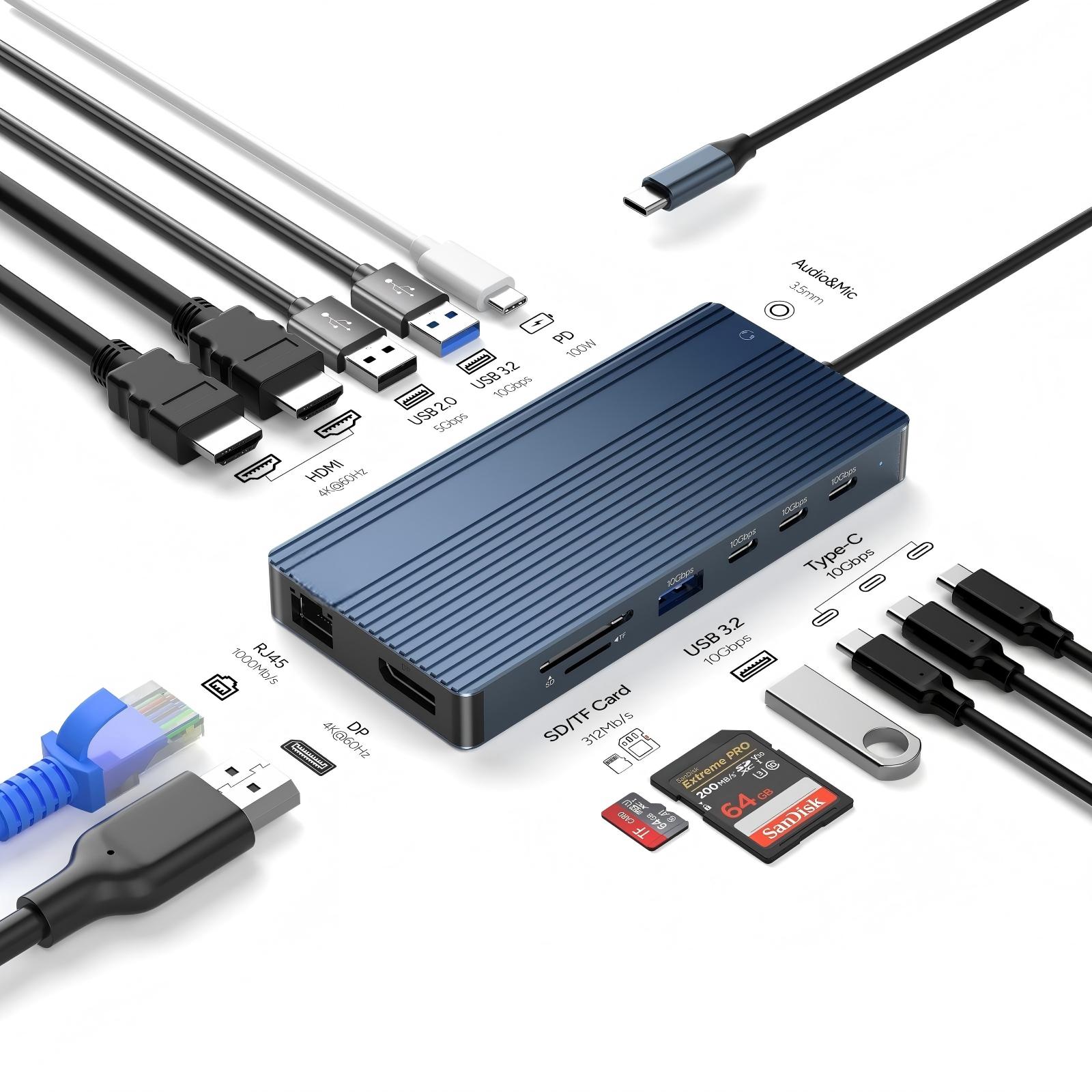
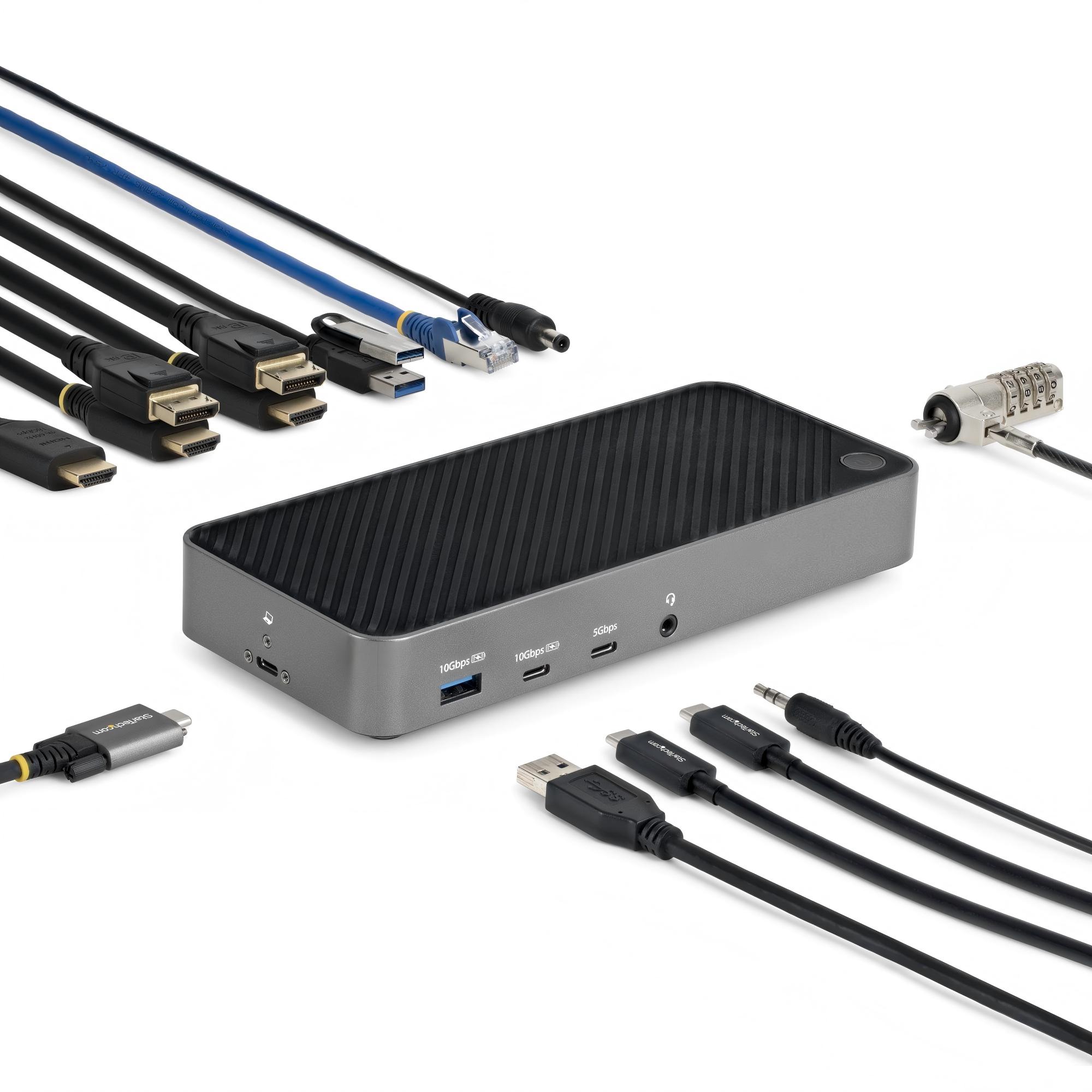
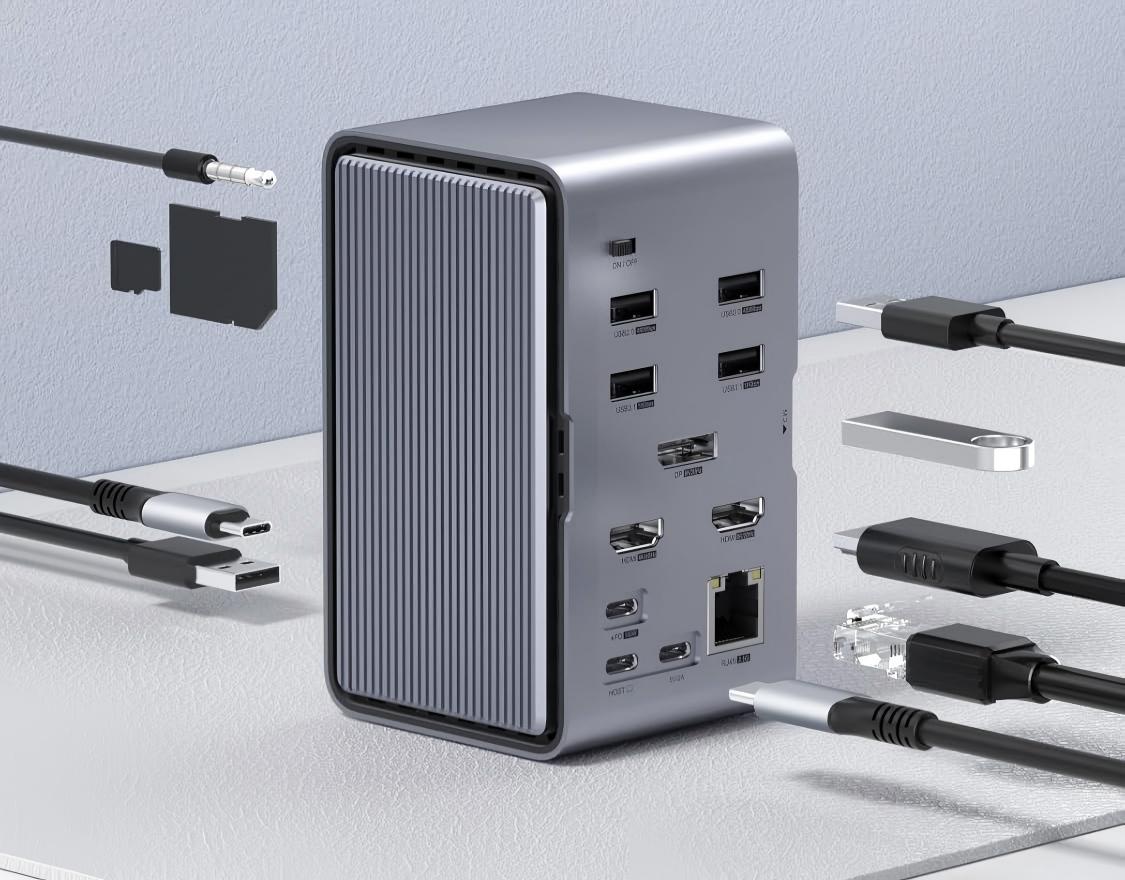
Our docking station typically includes the following interface combinations (configurable by model):
- HDMI — Supports 4K@30Hz or 1080p video output for external monitors
- USB 3.0 / USB-A — High-speed data transfer for external drives, keyboards, and mice
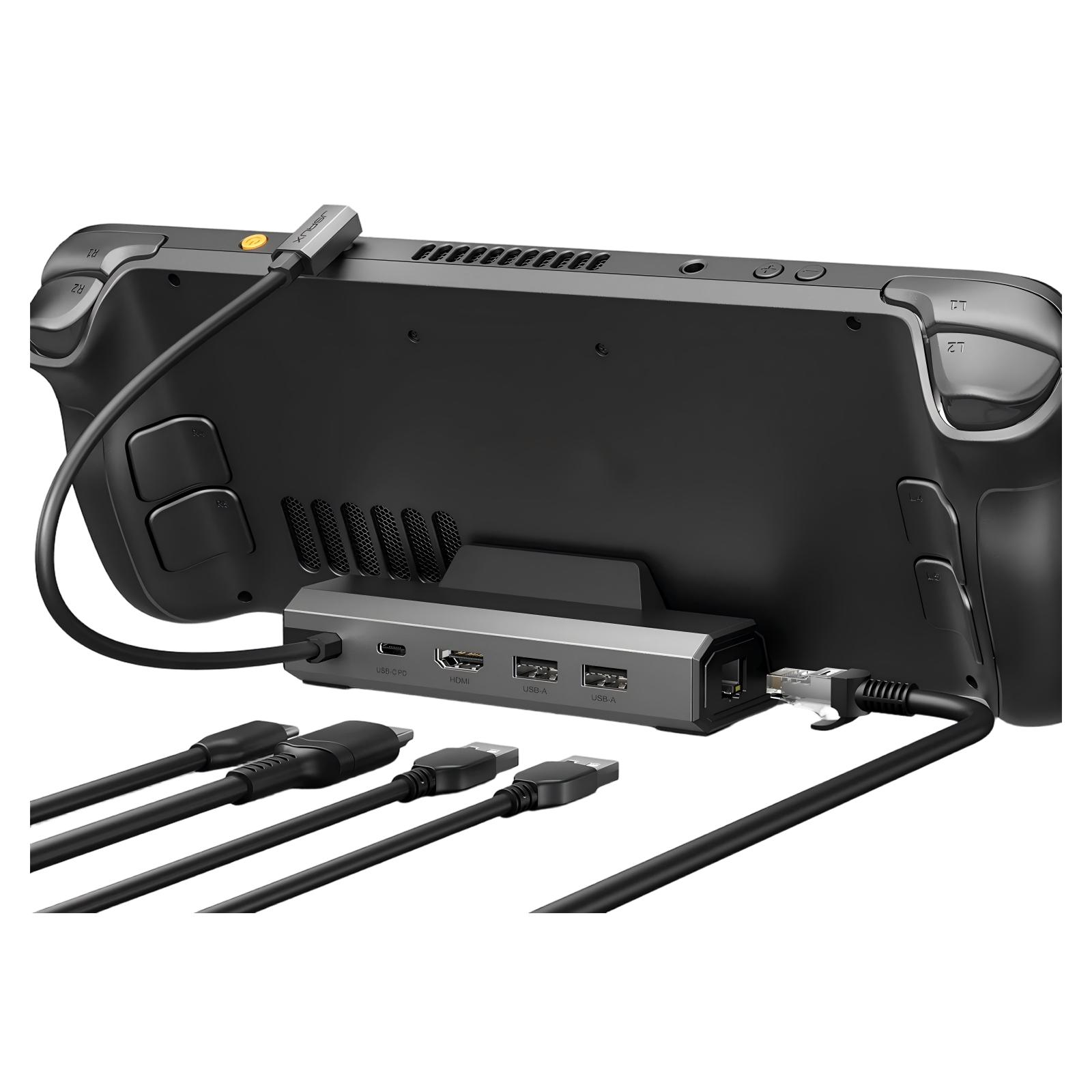
- USB-C PD (Power Delivery) — Pass-through charging up to 100W, so you can power your laptop through the hub
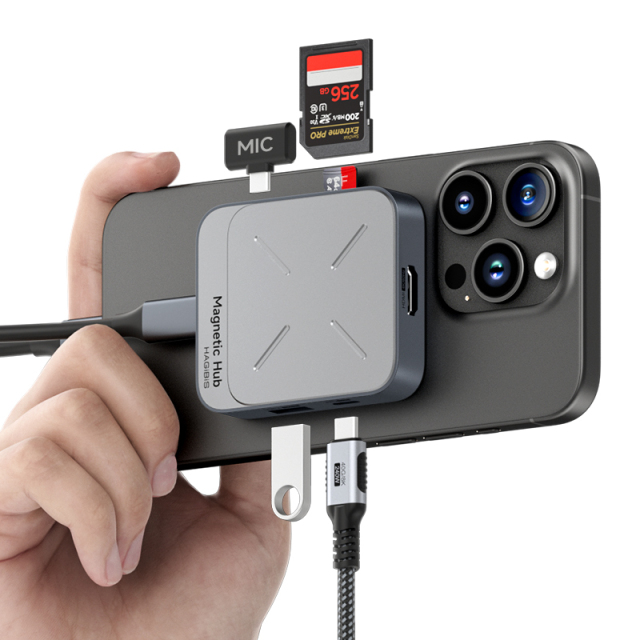
- SD/TF Card Reader — Direct access to camera memory cards without an extra adapter
- 3.5mm Audio Jack — Connect headphones or speakers
- Ethernet (RJ45) — For stable, high-speed wired internet when Wi-Fi is unreliable
4. Fast Charging & Data Transfer
With USB-C Power Delivery (PD) pass-through, you can charge your laptop at full speed while using all other ports simultaneously — no compromise. Data transfer speeds reach up to 5Gbps on USB 3.0 ports, letting you move large files in seconds.
5. Wide Color & Finish Options
Available in multiple colors and finishes to match different devices and aesthetic preferences. Whether you need classic silver, space gray, or something distinctive — we offer flexibility.
Real-World Scenarios: When a Docking Station Saves the Day
Scenario 1: The Home Office Setup
Sarah works remotely for a tech company. Her company-issued laptop has only two USB-C ports. To work effectively, she needs to connect a 27-inch monitor, a mechanical keyboard, a wireless mouse receiver, an external SSD for backups, and keep her laptop charged. Without a docking station, she would need to constantly plug and unplug devices throughout the day. With our multi-port hub, she connects everything with a single USB-C cable — and her workspace stays clean and organized.
Scenario 2: The Creative Professional
Ahmed is a graphic designer who frequently transfers large photo and video files between his camera, laptop, and external drives. His MacBook Pro has only three Thunderbolt ports, but he needs HDMI for his color-calibrated monitor, USB-A for his Wacom tablet, SD card reader for camera files, and an Ethernet connection for large file uploads. Our docking station handles all of these simultaneously while charging his laptop at full speed.
Scenario 3: The Business Traveler
Li travels frequently for client meetings and conferences. Rather than packing a bag of separate adapters and dongles, he carries one compact docking station. In hotel rooms, he connects his laptop to the TV for presentations (via HDMI), charges his phone and laptop simultaneously, and uses the audio jack for private video calls — all from a single pocket-sized device.
Technical Specifications Overview
| Feature | Specification |
|---|---|
| Interface Type | USB-C (Thunderbolt 3/4 compatible) |
| Material | Aluminum alloy |
| Video Output | HDMI 4K@30Hz / 1080p@60Hz |
| Power Delivery | Up to 100W pass-through charging |
| Data Transfer | USB 3.0 up to 5Gbps |
| Card Reader | SD / TF slot |
| Audio | 3.5mm headphone/microphone combo |
| Ethernet | RJ45 (Gigabit Ethernet) |
| Compatibility | Windows / macOS / iPadOS / Android |
| Color Options | Multiple (silver, gray, and custom) |
| MOQ | 500 pcs |
| Lead Time | 15-20 days |
| Packaging | Color box (customizable) |
Who Needs This Docking Station?
- Office workers — Connect dual monitors, keyboard, mouse, and network in one plug
- Remote professionals — Simplify your home office setup with a single cable solution
- IT managers and procurement teams — Standardize your company’s workstation setup
- Designers and video editors — Fast data transfer and 4K display output for creative work
- Students and travelers — Lightweight and portable, fits easily in a laptop bag
- Resellers and distributors — A high-demand product with strong margins and repeat orders
Why Choose XinChens as Your Supplier?
With headquarters in Shenzhen — the world’s electronics manufacturing hub — XinChens offers more than just a product off the shelf. We provide:
- OEM/ODM customization — We can brand the product with your logo, packaging, and color requirements
- Flexible port configurations — Need a specific combination of ports for your market? We can adjust the interface layout to match what your customers need most
- Quality control — Every unit is tested before shipment
- Low MOQ from 500 pcs — Ideal for testing new markets or launching private label products
- Lead time of 15-20 days — Fast production turnaround
Flexible Customization: We Build What You Need
One of our key strengths is flexibility. Docking station requirements vary by market, use case, and customer preference. That’s why we offer customization based on your specific needs or mainstream interface standards. Whether you need:
- A specific set of ports optimized for your local market
- Custom branding on the product body and packaging
- Special color matching for your brand identity
- Bulk orders with consistent quality assurance
We work with you to design and manufacture a docking station that fits your requirements exactly — from interface configuration to final packaging.
Whether you’re looking for a reliable multi-port hub for your own use or a custom-branded product for your customers, XinChens is your trusted manufacturing partner in China. Contact us today for pricing, samples, and detailed customization options. Our team will work with you to understand your requirements and deliver the perfect product for your market.
Leave a Reply